
The Library, application in Django 1.8 | Part IV
- The Library, application in Django 1.8 | Part I
- The Library, application in Django 1.8 | Part II
- The Library, application in Django 1.8 | Part III
- The Library, application in Django 1.8 | Part IV
- The Library, application in Django 1.8 | Part V
- The Library, application in Django 1.8 | Part VI
- The Library, application in Django 1.8 | Part VII
Welcome to the fourth installment of building an app in Django 1.8, in last installment We talked a little about the administration site that this Framework offers us to manage in one quickly and easily our database. The topic that brings us together today is views and templates; If we talk about these two elements, it is also necessary to talk about the urls, because without these Views and templates could not work in harmony.
What are Views in Django?
They are functions or methods. As I hope you know, Django is a web Framework that uses the software architecture pattern called Model-View-Controller (MVT), (although with some slight changes) I don’t want to go into this topic too much, as it is not the objective of this post. But out of respect I will only say roughly that:
- The Model refers to how I represent and access my data in my database.
- The Controller acts as a bridge, it listens to events, which are generally actions that the user will perform in the application, the next step fires a request to the model so that it fulfills the request (if possible)
- The View is how the data brought from the model is displayed, it must show the user something pleasant, which in a web application would translate into HTML code and Style Sheets.
Views in Django are where you write the logic that will be carried out when an event provided by the user happens, and it will make the corresponding requests to the Model, in this sense making a comparison with MVC, we can see that Views in Django are equivalent to Controllers.
What are Templates in Django?
The templates in Django are responsible for displaying the data that the Views bring from the Model, here we find our HTML code, the Cascading Style Sheets and Javascipt scripts if applicable, the Framework provides us with a template engine that allows us to manipulate and decide what data will be shown. You can read more about the architecture of this Framework if you wish.
What are Urls in Django?
They are regular expressions. Basically the urls in Django allow the views and the templates to work in harmony, we need the urls since the Framework makes a kind of mapping between url patterns associated with views, so according to one url or another, a certain view will be executed. Django follows a philosophy of clean and readable urls, so you will not find urls of the form www.mysite.com/?a=3&&b=4 (as happens in PHP for example).
Having a clearer horizon a little, let’s start playing with Views, Templates and Urls in our Library app.
Views, Templates and Urls in our App
To better understand how these elements are orchestrated, we are going to start by making a very basic view, open the application folder and in the views.py file place the following:
#readingsite/library/views.py
from django.http import HttpResponse
# Create your views here.

def first_view(request): #always receive an HttpRequest parameter
	return HttpResponse("Hello, I'm your first view")
Going into more detail, we can say that a view is a function or method that takes as a parameter always an HttpRequest object, in this object is the information regarding the request we are making, for example if the requested method is POST or GET. And it returns an HttpResponse object, with the information of the page it is going to display, or an exception, if something is wrong. The view by itself does nothing, we need to associate this view with a url address, for this we are going to manage two files. Django already creates the first file for us, look for it in the project directory sitiolectura/sitiolectura/urls.py, open it and you should see something like this:
# readingsite/readingsite/urls.py

from django.conf.urls import include, url
from django.contrib import admin

urlpatterns = [
    url(r'^admin/', include(admin.site.urls)),
]
Ignoring the lines that you surely have commented in that file, what we can see here is the way in which Django relates a url pattern /admin, with the module admin.site.urls of the Admin application, used in the last entry. In this sense, when we go to localhost:8000/admin we begin to use that url file of said app for the following links that we use, such as localhost:8000/admin/Book. Then write the following…
from django.conf.urls import include, url
from django.contrib import admin

urlpatterns = [
    url(r'^admin/', include(admin.site.urls)),
    url(r'^library/', include('library.urls')),#don't forget the comma at the end
]
This way we tell Django that the /library pattern will use the urls module of our application.
We will create the second file for managing urls, go to the application folder site/library and create a new file called urls.py and write the following:
from django.conf.urls import include, url
from . import views #We tell Django to import the views file from this directory

urlpatterns = [
    url( r'^$' , views.first_view, name= 'first-view' ),
]
With this, Django will make a union of the url patterns of the previously edited files, that is, it will join the pattern of readingsite/readingsite/urls.py, namely /library with the pattern
readingsite/library/urls.py, which is an empty string, (to put it a bit rudely).
The url function needs at least two arguments to work, the first will be a pattern, better known as a regular expression or regex, and the second is the view associated with that pattern, we use the name argument to be able to reference this url from anywhere in our project, you can think of it as a kind of identifier for that particular url. There are other arguments like prefix that we will not use in the application. I leave you useful documentation in this regard.
With what we have so far, if you open the browser and type localhost:8000/library you will be able to see how the views and the urls work together. Ignore my personal bookmarks :D…
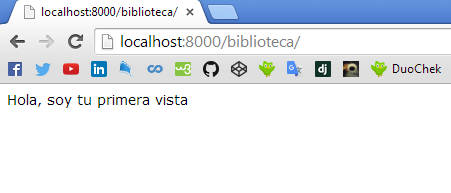
So far we have seen how URLs and Views work together. But what about the templates? Well, I think that will be a topic for the next post, along with the so-called “Generic Views”. I hope I have explained myself in the best way, if you have any questions, you can leave me a comment below in the comment box.
print("See you soon")Translated using GPT 5.3 Codex